When you are new to trading, the constant movement of numbers on your screen can be overwhelming. At the heart of this activity is the open position.
Simply put, an open position is a live trade that has not yet been closed. Unlike a final transaction, it represents active market exposure where your Profit or Loss (P&L) is “floating” and changes every second. This guide breaks down exactly what an open position is, the hidden risks involved, and how professional traders manage them to protect their capital.
Key Takeaways
-
An open position is any active trade (buy or sell) that has not yet been closed and is currently exposed to market movements.
-
Live vs. Final: An open trade is “live,” meaning its value fluctuates constantly. A closed trade is “final,” meaning the gain or loss is locked in.
-
Unrealized P&L (Open P&L): This represents the “floating” profit or loss of your active trades. It is not real cash in your account until you close the position.
-
Risk Exposure: Every open position carries risk. Traders are exposed to price volatility, margin calls, and overnight gaps until the trade is settled.
-
Risk Management: Successful trading isn’t just about opening trades; it’s about managing open positions using Stop-Loss and Take-Profit orders.
1. What Is an Open Position In Trading?
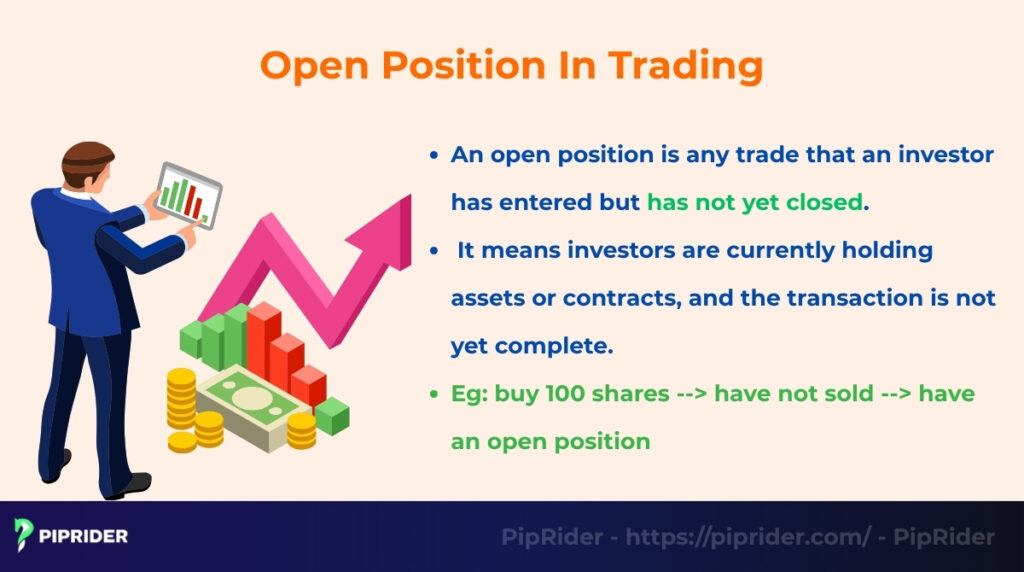
An open position is any trade that a trader has entered but has not yet closed. It means the trader is currently holding assets or contracts (like stocks or currencies), and the transaction is not yet complete.
An open position reflects market exposure at the current moment. As long as a position is open, it carries market risk, and its market value can change continuously with price movements.
This is the direct opposite of a closed position. A closed position is a trade that has been completed. Any profit or loss from a closed position is considered “realized” and has been added to (or subtracted from) the account balance.
- Example: If you buy 100 shares of Apple stock and have not sold them, you have an open position in that stock.
Understanding this concept is crucial. It helps investors track the specific performance of each active trade and manage the risk for each of their live investments separately.
2. How Open Positions Work in Financial Markets
An open position is the active part of a trade. It is the time between when a trader enters the market and when they exit. While a position is open, the capital is exposed to market risk, and its value will constantly change. This “floating” value is the Open P&L.
2.1. From Opening a Trade to Closing It
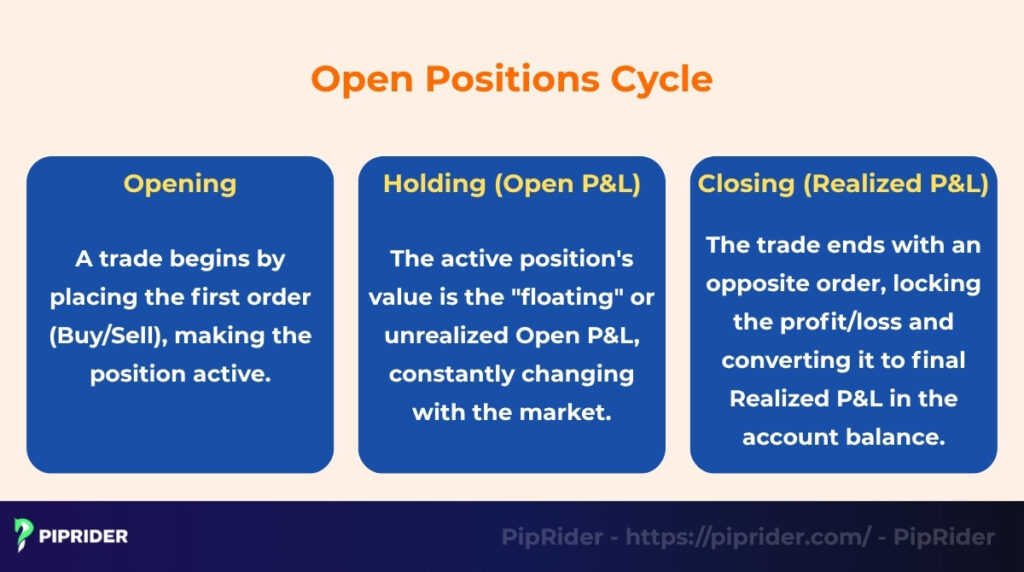
A trade has a simple life cycle:
- Opening: “Open” a position by placing the first order (either a “buy” or a “sell”). The trade is now active.
- Holding: As long as the trade is active, it is an open position. During this time, its value will go up or down with the market. This floating profit or loss is called Open P&L.
- Closing: “Close” the position by placing the opposite trade. The trade is now a closed position. The Open P&L is locked in and becomes the “Realized P&L,” which is added to (or subtracted from) the account balance.
2.2. The Role of Long and Short Positions
An open position can be one of two types, depending on the trader’s prediction:
- Long Position: This is the position initiated when an asset is bought first. A long position is opened because the trader believes the asset’s price will rise.
- Short Position: This is the position initiated when an asset is sold first (often by borrowing it, as in the stock market). A short position is opened because the trader believes the asset’s price will fall.
2.3. Example of an Active (Open) Position
Let’s look at a simple example to understand the open P&L calculation:
- Open Position: A trader buys 10 shares of Apple (AAPL) stock at $150 per share. The trader now has an open position.
- Holding (Price Moves): The next day, the market price for Apple rises to $155 per share.
- Open P&L: The trader’s open position now shows a “floating” profit of $5 per share. The Total P&L (Profit and Loss) is +$50 ($5 profit x 10 shares).
This $50 is unrealized. It is not the trader’s money yet. If the price drops back to $150, the open P&L will return to $0. The profit only becomes “real” when the trader closes the position by selling the 10 shares.
3. Confusion Alert: Open Position vs. Open Order
Many beginners confuse these terms on trading platforms, but the difference is financially critical. The main distinction lies in execution: An Open Position is a filled trade with active P&L, whereas an Open Order is just a waiting instruction with no risk yet.
3.1. Comparison Table: Position vs. Order
The table below highlights the key differences between a “live” trade and a “working” order.
| Feature | Open Position (“Live”) | Open Order (“Working”) |
|---|---|---|
| Definition | A trade that has been executed and filled. | An instruction sent to the broker, waiting to be filled. |
| Status | Active. You officially own (or owe) the asset. | Pending. No exchange of assets has occurred yet. |
| Risk | High. Exposed to market volatility immediately. | Zero. No capital is at risk yet. |
| Key Indicator | Shows a Floating P&L changing every second. | No P&L. Sits in the “Orders” tab. |
| Action | Must “Close” to realize gain/loss. | Can “Cancel” at any time. |
3.2. Special Case: The Pending Order
A Pending Order (like a Buy Limit or Sell Stop) starts as an Open Order but can transform into an Open Position. Understanding this lifecycle is crucial:
- Placement: You set a price level. It sits as an Open Order (No Risk).
- Trigger: The market price hits your level.
- Execution: The order fills and instantly converts into an Open Position.
- Live: Only now does the Floating P&L start ticking.
💡 Platform Tip: Always check your tabs carefully. If a trade is in the “Orders” tab, you are just waiting. If it is in the “Positions” tab, you are making or losing money.
3.3. Advanced Terminology: Trade vs. Position
While often used interchangeably, professional platforms distinguish these clearly, especially when scaling in:
- Order: The instruction (The Request).
- Trade (Fill): The individual execution (The Action).
- Position: The total aggregated exposure (The Result).
Example: If you use a scaling strategy to buy 10 shares three separate times, you will have 3 separate trades, but they combine into only 1 single open position of 30 shares.
4. Practical Guide: How to View Positions on MT4/MT5
To view open positions on most trading platforms like MetaTrader 4 (MT4) or MetaTrader 5 (MT5), you must access the “Terminal” window (usually at the bottom of the screen) and select the “Trade” tab. This section displays your live risk, including entry price, lot size, and real-time floating Profit/Loss.
4.1. On Desktop (PC/Mac)
Desktop platforms provide the most detailed view of your trading activity, allowing you to monitor technical levels alongside your P&L. To access your live positions on a computer, follow this standard procedure:
- Open Panel: Press
Ctrl + Ton your keyboard. This shortcut immediately opens the “Terminal” window (in MT4) or “Toolbox” (in MT5) at the bottom of your workspace. - Trade Tab: Click on the “Trade” tab. Here, you will see a comprehensive list of all Open Positions, displaying critical data like Commission, Swap, and Floating P/L.
- Visual Mode: For better risk management, you can see your positions directly on the chart. Go to Tools –> Options –> Charts and check “Show trade levels”. This draws dotted lines on your chart showing exactly where your Entry, Stop-Loss, and Take-Profit levels are relative to the current price.
4.2. On Mobile App (iOS/Android)
While desktop is for analysis, the mobile app is essential for monitoring trades on the go. The mobile interface is simplified to focus purely on account health and execution speed.
- Access: Tap the “Trade” icon (usually the middle button on the bottom navigation bar).
- Header Info: The top section aggregates your account status, showing total Balance, Equity, and Free Margin.
- Main List: Below the header, you see individual open positions. Blue numbers indicate a floating profit, while Red numbers warn of a floating loss.
4.3. MT5 Advanced: Netting vs. Hedging
Unlike MT4, MetaTrader 5 handles open positions in two completely different ways depending on your broker’s settings. Understanding this distinction is critical because it dictates whether your trades are merged or kept separate.
- Netting Mode (Stock Exchange Style):
- Rule: You can have only one open position per symbol at any time.
- Behavior: If you Buy 1 lot of EUR/USD and later Buy another 1 lot, MT5 merges them into a single position of 2 lots with a new Weighted Average Entry Price. If you then Sell 1 lot, it does not open a short; it simply closes half of your existing long position.
- Hedging Mode (Forex Standard):
- Rule: You can have multiple open positions for the same symbol simultaneously, even in opposite directions.
- Behavior: If you Buy 1 lot and then Sell 1 lot of EUR/USD, you will have two independent open positions running at the same time (one Long, one Short). This flexibility allows for advanced strategies like hedging.
⚠️ Critical Check: Before trading on MT5, look at the window title bar. It will explicitly state “Netting” or “Hedging”. This confirms whether your next trade will add to an existing position or create a new one.
5. Key Risks When Holding Open Positions
An open position means the capital is currently exposed to the market. This exposure carries several key risks that every trader must manage.
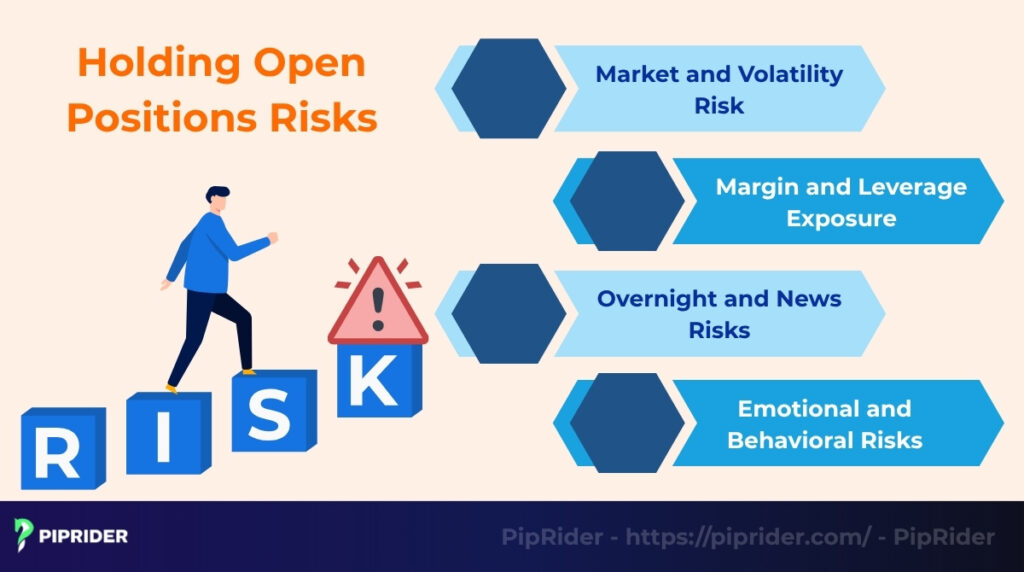
5.1. Market and Volatility Risk
While a position is open, the market price can move against the trade. If a long (buy) position is held, the price can fall. If a short (sell) position is held, the price can rise.
Sudden volatility (sharp, fast price moves) can also be dangerous. A single unexpected news event or a change in market conditions can quickly erase a floating profit or create a large loss before the trader has time to react.
5.2. Margin and Leverage Exposure
If leverage is used to open a trade, the position faces margin risk. It requires a portion of the account balance to be held as collateral (Used Margin).
If the market moves against the position, the floating loss will decrease account equity. If equity falls below the firm’s required level, a margin call will be received. This may force the trader to either add more money or close the position at a loss.
5.3. Overnight Risks and Costs
The market is active 24 hours a day. Holding an open position overnight or over the weekend exposes traders to two specific threats:
- “Gapping” Risk: Major news (like an interest rate decision) can happen while you sleep. This might cause the market to “gap” (open at a much different price), potentially skipping over your stop-loss order.
- Overnight Funding (Swap/Rollover): Beyond price volatility, holding a position past the daily cutoff time (usually 5 PM ET) often incurs a fee known as Swap or Rollover. In Forex and CFDs, this is the interest rate difference between the two assets. While you can sometimes earn interest (positive swap), it is often a cost that slowly erodes your potential profit if the position is held for weeks or months.
5.4. Emotional and Behavioral Risks
Watching the “floating” profit or loss can be difficult. The open P&L is unrealized, which creates emotional risk:
- Fear: Seeing a position in a small loss can cause a trader to panic and close the trade too early, breaking their strategy.
- Greed: Seeing a large floating profit can cause a trader to get greedy and hold the trade too long, only to watch the gain disappear.
These emotional decisions, driven by the stress of an open position, are a major risk to a trader’s discipline and their trading decisions.
6. Managing Open Positions Like a Pro
Professional traders know that opening a trade is the easy part. The real skill is in managing that open position correctly. Here are the key strategies professionals use.
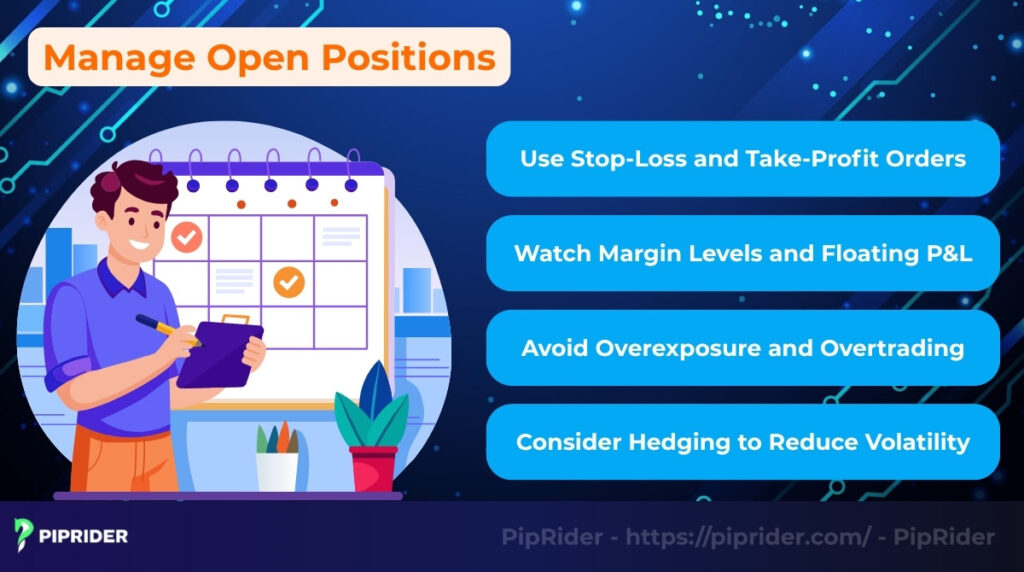
6.1. Use Stop-Loss and Take-Profit Orders
Professional traders never open a position without an exit plan. Before they even click “buy” or “sell,” they define their exit points:
- Stop-Loss Order: An order placed with a broker to automatically close the position at a specific, pre-set price. Its only job is to limit the potential loss. Good traders use stop-losses on almost every trade.
- Take-Profit Order: An order to automatically close the position when it hits a specific profit target.
Using these orders removes emotion and panic from the decision-making process.
6.2. Watch Margin Levels and Floating P&L
It is crucial to monitor the floating (unrealized) gain and loss. The open P&L directly impacts the account’s “Equity.”
If the floating losses (open P&L) become too large, the Equity will fall. As the Equity falls, the “Margin Level” percentage will drop. If this level drops too low, the broker will issue a margin call, which could force investors to close the position at a bad time.
6.3. Avoid Overexposure and Overtrading
A key part of management is controlling the size and frequency of the trades.
- Overexposure: This means risking too much of the account on a single open position. It also means opening too many positions that are highly correlated (e.g., buying three different oil stocks at the same time). If one fails, they all might fail.
- Overtrading: This is the habit of trading too frequently, often out of boredom or trying to “revenge trade” after a loss. Both of these habits dramatically increase the risk.
6.4. Consider Hedging (Advanced Traders Only)
Hedging is a strategic move used to offset potential losses by opening a second position that profits if your main trade goes wrong.
- The Strategy: If you hold a long position in a stock but fear a short-term drop due to earnings news, you might buy a put option or open a short CFD on the same asset. If the price falls, the profit from the “hedge” helps neutralize the loss from the main position.
⚠️ The “Retail Trap”: Cost & Complexity
While hedging sounds like a perfect safety net, it is often unsuitable for the majority of retail traders because:
- Double Costs: You pay spreads, commissions, and overnight swaps on two positions simultaneously. This dramatically increases your break-even point.
- Margin Stress: Holding two opposing positions often requires double the margin (unless your broker supports “Netting”), which can tie up your free capital and limit flexibility.
- Mental Complexity: Managing two active trades moving in opposite directions is mentally exhausting and prone to errors.
The Verdict: For most traders, simply closing the position or tightening your stop-loss is cheaper, cleaner, and far more effective than trying to construct a complex hedge.
6.5. Diversify (But Watch Correlation)
Professional traders rarely put all their capital into a single trade. Instead, they spread risk across unrelated assets.
- True Diversification: Opening positions in assets that move independently (e.g., one in Tech Stocks, one in Gold, one in Forex). If one crashes, the others may stay stable.
- The Correlation Trap: Be careful not to open multiple positions that move together. For example, buying EUR/USD and GBP/USD simultaneously is usually not diversification because both likely rise or fall based on the US Dollar’s strength. This doubles your risk instead of reducing it.
7. How Open Positions Differ From Closed Ones
Understanding the difference between an open and closed position is fundamental to trading. The main difference is whether the trade is still active and exposed to risk.
| Feature | Open Position | Closed Position |
|---|---|---|
| Trade Status | Still active and live in the market. | Completed and finished. |
| Profit/Loss (P&L) | Unrealized (Floating): The value changes constantly with the market. | Realized (Locked): The final profit or loss is added to/subtracted from your balance. |
| Market Exposure | Yes. Your capital is currently at risk. | No. Your capital is safe from market moves. |
In summary, the key difference is risk and finality. An open position is a live bet with a “floating” P&L that is still at risk. A closed position is a finished trade where the gain or loss is final and reflects the ultimate accuracy of the trade.
7. Benefits and Drawbacks of Keeping Positions Open
Holding an open position is the only way to make a profit, but it is also the only way to take a loss. Deciding how long to keep a position open involves weighing its potential benefits against its very real risks.
7.1. Benefits (Pros)
Keeping a position open allows a trader to capitalize on ongoing market opportunities.
- Flexibility to exit at a better price: An open trade allows traders to wait for a more favorable price, rather than being forced to sell immediately.
- Potential for higher profits: Keeping a position open allows investors to ride a trend, which can result in much larger profits than closing the trade too early.
- Usefulness for portfolio balancing: An open position (like a hedge) can be used to offset the risk of another position in the portfolio.
7.2. Drawbacks (Cons)
However, maintaining an open position also comes with significant and constant risks.
- Exposure to market swings: As long as the position is open, it is fully subject to all market swings, including sudden, negative price moves.
- Margin call risk: A losing open position (a negative open P&L) eats into the account equity. If it falls too far, it can trigger a margin call, forcing traders to close the trade at a loss.
- Psychological stress: Watching the money fluctuate with the market causes psychological stress (fear and greed), which can lead to poor, emotional decisions.
8. Open Positions in Day Trading vs. Long-Term Investing
The way a trader manages an open position depends entirely on their trading style. A day trader and a long-term investor look at their active trades in completely different ways, primarily due to their different time horizons and goals.
| Feature | Day Trading | Long-Term Investing (Position Trading) |
| Primary Goal | To profit from small, short-term price movements. | To profit from major, long-term trends (e.g., overall company growth). |
| Position Duration | Intraday (Must close within the single trading day). | Long-Term (Holds for months, years, or decades). |
| Management Style | Very Active (Monitors open P&L constantly, minute-by-minute). | Very Passive (Checks positions weekly or monthly). |
| Main Risk Focus | Immediate, short-term volatility and overnight gaps. | Fundamental, long-term change in the asset’s underlying value. |
| Closing Rule | Mandatory close of all open positions before the market closes. | Intentionally holds positions overnight and through short-term news events. |
9. Frequently asked questions about Open Position
10. The Bottom Line
An open position is any trade that is still active and exposed to market risk. Managing these live positions effectively is the true core of any professional trading strategy.
This means traders must constantly assess their risk, always use stop-loss orders, and avoid over-leveraging to protect their accounts from large, unexpected market moves.
To learn more about specific trading strategies and how to manage your trades like a professional, explore the many other in-depth guides at PipRider.
Infographic Section
-
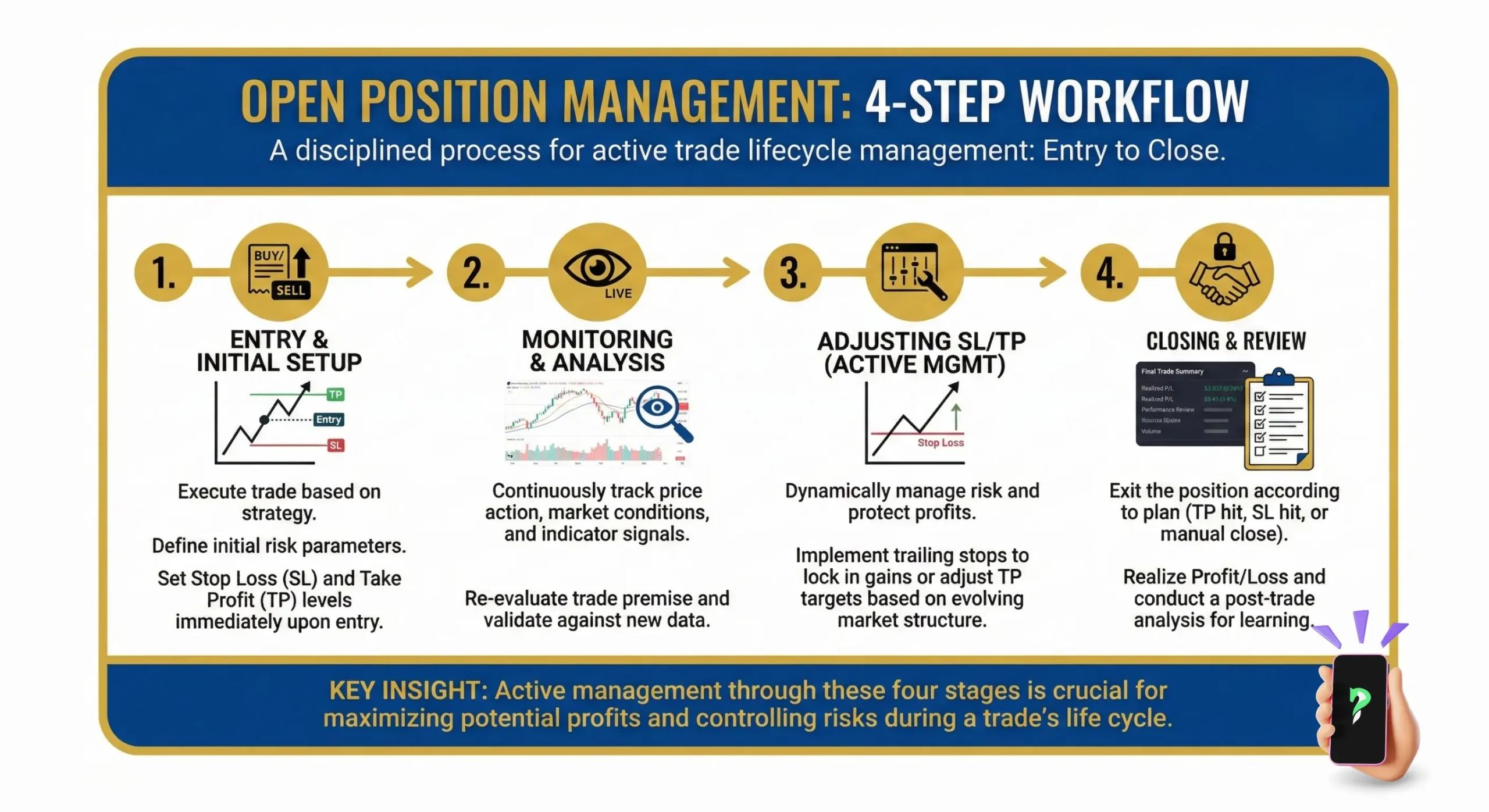
4-step workflow -
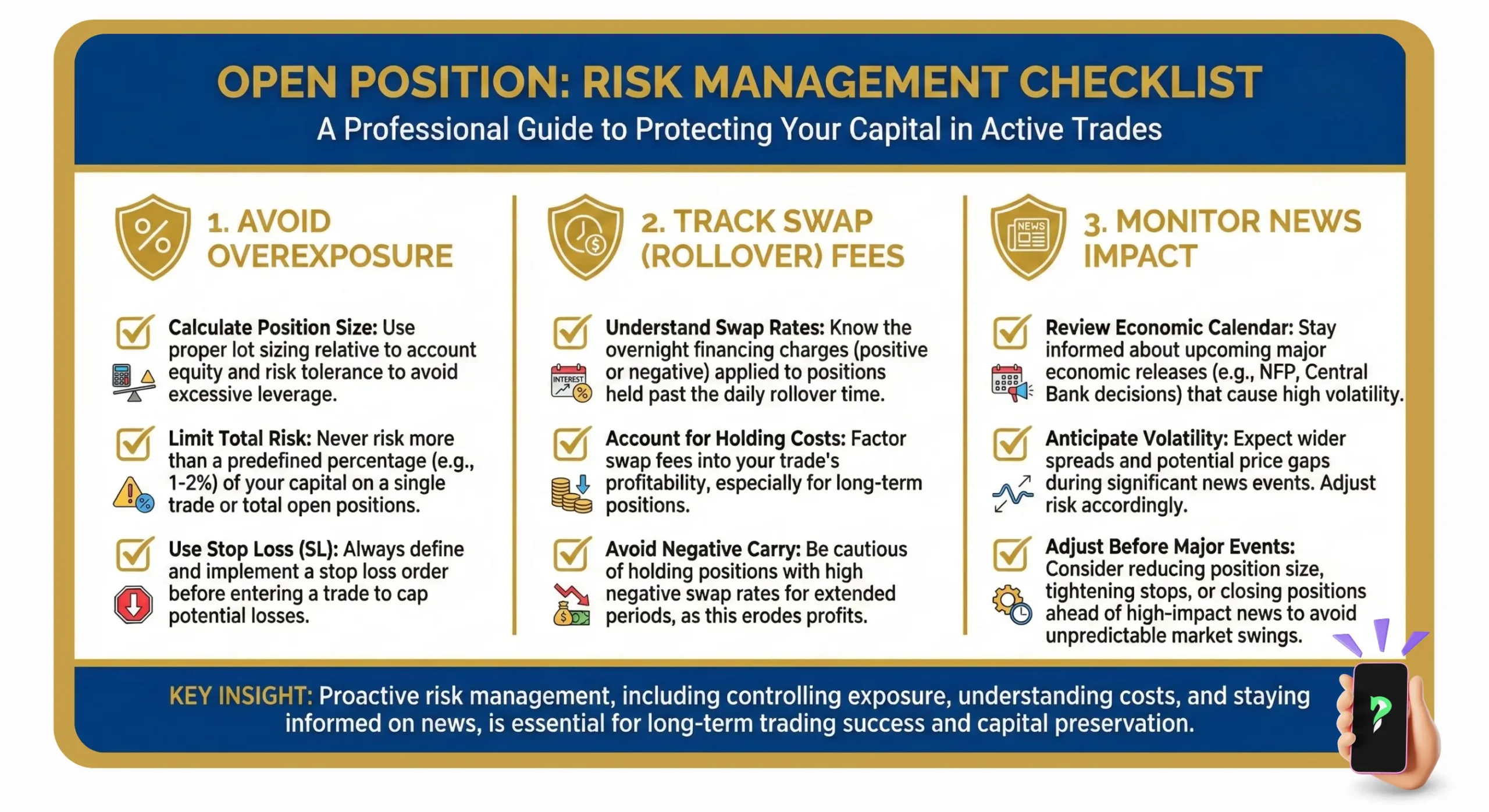
risk management checklist -
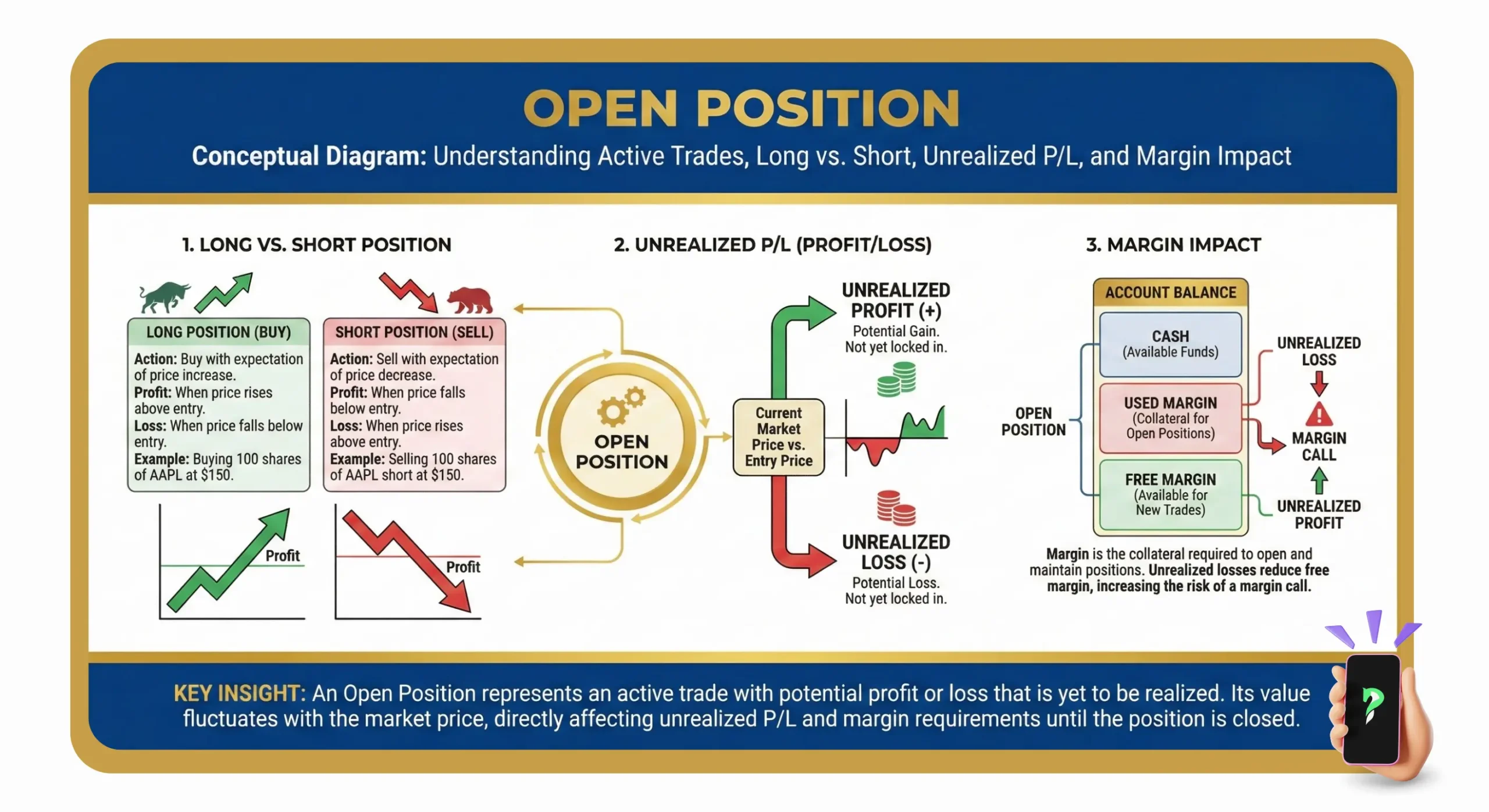
conceptual diagram