MetaTrader 4 (MT4) and MetaTrader 5 (MT5) are two of the most popular trading platforms in the world, trusted by millions of traders. The choice between MT4 vs MT5 is often the first and most crucial decision for any trader, from beginners to professionals. This article will provide a detailed analysis of the key differences between these two platforms, helping you make an informed decision that aligns with your trading goals and strategies.
Key Takeaways
- MetaTrader 4 is a trading platform specifically focused on Forex and CFD trading, known for its familiar interface and large community.
- MetaTrader 5 supports multi-asset trading, including stocks, commodities, and futures, offering a wide range of assets to trade.
- MT5 offers more technical analysis tools, timeframes, and order types compared to MT4.
- The different programming languages mean that indicators and Expert Advisors (EAs) are not cross-compatible.
- The best choice of platform depends on the assets you want to trade and your specific trading strategy.
1. What Is the MetaTrader Platform?
The MetaTrader platform, developed by MetaQuotes Software, is a widely used electronic trading platform for online retail speculative trading. It acts as a bridge between traders and the financial markets, allowing you to view real-time market data, conduct technical analysis, and execute trades. The platform’s accessible interface and robust features have made it the industry standard, especially for forex trading and CFD trading.
MetaTrader’s popularity stems from several key factors:
- Comprehensive tools: It provides a vast array of tools for technical analysis, including interactive charts, a wide range of built-in indicators, and drawing tools.
- Automated trading: One of its most powerful features is the ability to support trading signals and automated trading through Expert Advisors (EAs). This allows traders to automate their strategies based on predefined rules.
- Accessibility: Both versions are available across multiple devices, including desktop, web, and mobile, providing flexibility for traders to manage their positions from anywhere.
- Lightweight software: The platforms are designed to be highly lightweight, ensuring smooth operation and rapid chart loading without putting a heavy load on your computer.
The reliability and feature-rich environment of MetaTrader have solidified its position as the platform of choice for both retail traders and major brokers worldwide.
2. What Is MetaTrader 4?
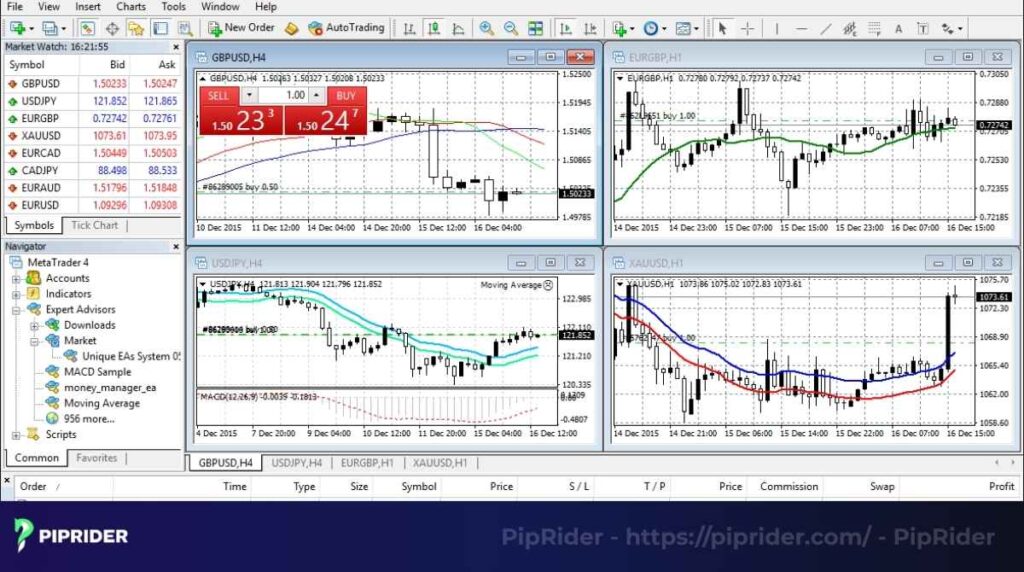
MetaQuotes Software launched MetaTrader 4 (MT4) in 2005, and it quickly became the go-to platform for online forex trading. While it can handle other instruments like CFDs on commodities and indices, its primary focus and strength lie in the market.
The platform’s widespread adoption is due to several key advantages:
- Intuitive and user-friendly interface: MT4’s layout is simple and easy to navigate, making it a perfect starting point for beginner traders. Its familiarity also means that experienced traders often stick with it.
- Extensive community and resources: Having been around for a long time, MT4 has a massive community of traders and developers. This means there’s a huge library of free and paid indicators, scripts, and Expert Advisors (EAs) readily available.
- Reliable performance: Known for its stability and lightweight software architecture, MT4 provides a dependable trading environment. It processes terminal commands efficiently, though actual trade execution speed will depend heavily on your broker’s server latency and liquidity network.
The platform’s robust features and strong support network have cemented its legacy as the undisputed king of forex trading for over a decade.
3. What Is MetaTrader 5?
MetaQuotes Software released MetaTrader 5 (MT5) in 2010, developing it as an updated, multi-asset platform. While MT4 was specifically built for forex, MT5 was designed to cater to a broader range of financial markets.
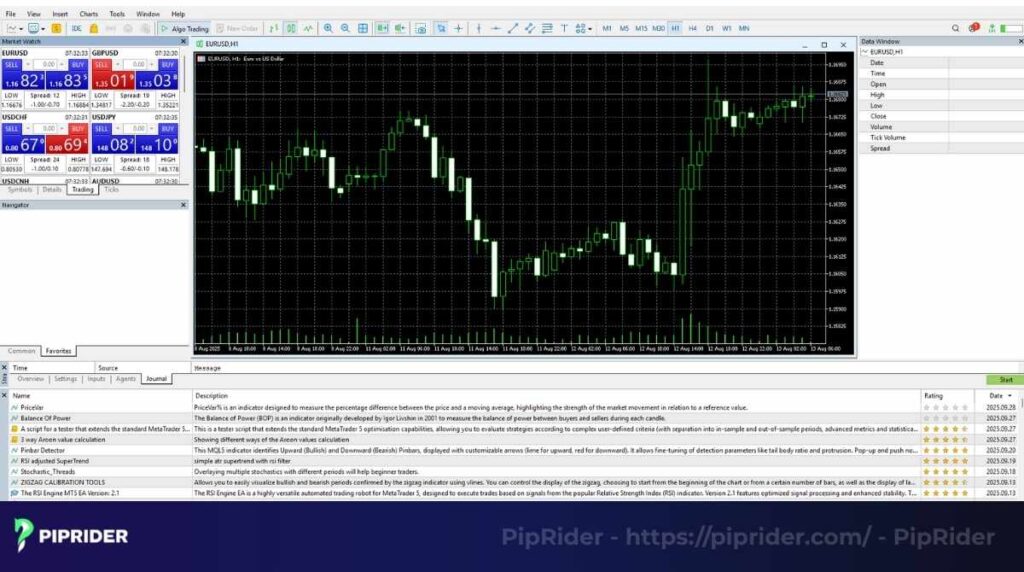
The key distinction of MT5 is its ability to handle multi-asset trading, providing users with expanded market access. This expanded functionality comes with a suite of advanced features compared to its predecessor:
- Expanded charting & Analysis: MT5 provides significantly more timeframes (21 vs. 9) and technical indicators (38 vs. 30), giving traders more detailed options for charting and market analysis.
- Advanced order management: It introduces two additional order types: Buy Stop Limit and Sell Stop Limit, and supports both hedging and netting systems for position management.
- Enhanced backtesting: The platform features a multi-threaded, multi-currency strategy tester, which allows for faster and more comprehensive back-testing of automated strategies.
- Built-in tools: MT5 includes a built-in economic calendar and a Depth of Market (DOM) feature, which provides insight into market liquidity and order flow.
Despite its powerful capabilities, MT5 has been slower to gain widespread adoption, primarily due to the ingrained popularity of MT4 and the lack of backward compatibility with MT4’s MQL4.
4. Difference between MT4 and MT5
| Feature | MetaTrader 4 (MT4) | MetaTrader 5 (MT5) |
|---|---|---|
| Asset Classes | Primarily Forex & CFDs | Multi-asset (Forex, CFDs, Stocks, Futures, Options) |
| Timeframes | 9 standard timeframes | 21 different timeframes |
| Technical Indicators | 30 built-in | 38 built-in |
| Graphical Objects | 31 | 44 |
| Pending Order Types | 4 (Buy/Sell Limit, Buy/Sell Stop) | 6 (Adds Buy/Sell Stop Limit) |
| Programming Language | MQL4 | MQL5 (Object-oriented) |
| Backtesting | Single-threaded | Multi-threaded, multi-currency |
| Built-in Features | N/A | Economic Calendar, Depth of Market (DOM) |
| Position Management | Hedging only | Hedging and Netting supported |
While the table above provides a quick summary, the following sections will delve into each of these key differences in detail for a more comprehensive understanding of each platform.
4.1. Market Coverage and Asset Classes
The most fundamental difference is their target markets. MT4 was built primarily as a dedicated platform for the forex and CFD trading market, focusing on simplicity and speed.
In contrast, MT5 was developed as a multi-asset platform. It supports not only currencies but also trading on centralized exchange markets for stocks, futures, cryptocurrencies, and options, provided your broker offers the necessary access and gateways. This makes MT5 the more versatile choice for traders who want to diversify their portfolios.
4.2. Order Types and Execution
MetaTrader 4 provides a standard set of four pending order types, which is sufficient for most traditional strategies.
According to official MetaQuotes documentation, MT5 offers an advanced set of six pending order types, officially introducing the Buy Stop Limit and Sell Stop Limit. These combined orders allow for highly precise entries during breakouts and retracements.
Furthermore, MT5 officially supports both netting and hedging position accounting systems (as detailed in the MQL5 reference).
The Practical Impact: The netting system aggregates all trades on a single symbol into one combined position (standard for exchange markets). The hedging system allows you to hold multiple independent positions, even in opposite directions, on the same asset. If your trading strategy relies on grid trading, scaling in/out, or holding long and short positions simultaneously, you must select an MT5 hedging account (if permitted by your broker).
4.3. Charting and Timeframes
MetaTrader 4 offers a basic but effective range of 9 standard timeframes, from one-minute to monthly charts.
MT5, however, is structurally designed for deeper analysis. As detailed in the MetaTrader 5 Help guide, the platform significantly expands this to 21 different timeframes. This wider range includes highly requested granular intervals like 2-minute, 3-hour, and 8-hour charts, giving traders greater flexibility to analyze price movements across various time periods.
4.4. Technical Tools
The number and variety of technical tools differ significantly. While MT4 comes with 30 built-in indicators and 31 graphical objects, traders often rely on the MQL4 community for custom tools. MT5 offers a more extensive suite of 38 built-in tools and 44 graphical objects, along with an integrated Economic Calendar and a Depth of Market (DOM) feature, making it a more robust platform for in-depth analysis.
4.5. Programming Language: MQL4 vs MQL5
MQL4 is an older, structured language with a massive library of existing EAs and indicators. MQL5 is an updated, object-oriented language that is more powerful and efficient for building complex, high-performance automated strategies. A crucial point is that EAs and indicators written for one platform will not work on the other.
4.6. Backtesting: Single-thread vs Multi-thread
A significant advancement in MT5 is its institutional-grade backtesting capability. MT4 relies on a basic, single-threaded backtester, which can be painfully slow when optimizing complex Expert Advisors (EAs) over large historical datasets.
Conversely, official MetaTrader 5 documentation highlights its powerful multi-threaded, multi-currency Strategy Tester. This upgraded architecture allows an EA to analyze and backtest multiple financial instruments simultaneously. To further accelerate the process, MT5 natively integrates with the MQL5 Cloud Network, allowing algorithmic traders to harness the computing power of thousands of PCs globally, potentially reducing complex strategy optimization times from days to mere minutes.
4.7. Community and Broker Support
MT4 has a massive, long-established community and is the industry standard, making it widely offered by almost all brokers. MT5’s community is smaller but growing, focusing more on advanced programming and features. While fewer brokers initially offered MT5, its support is rapidly increasing as the platform gains wider adoption, particularly among those who want to provide a multi-asset trading solution.
5. Metatrader 4 and 5: Pros and Cons
Both platforms have distinct advantages and disadvantages that cater to different types of traders. Here’s a concise summary to help you decide which is better for your trading style.
| Platform | Pros (Advantages) | Cons (Disadvantages) |
|---|---|---|
| MetaTrader 4 | – Ideal for beginners due to its simple and familiar interface. – Extensive, long-established community with a vast library of free resources (EAs, custom tools). – Perfect for traders focused exclusively on Forex and CFD trading. | – Limited assets, timeframes, and built-in technical tools. – Slower, single-threaded backtesting environment. – No multi-asset support (cannot trade exchange-traded stocks directly). |
| MetaTrader 5 | – Designed for multi-asset trading (stocks, futures, cryptocurrencies, options). – More powerful analytical tools (21 timeframes, extra custom tools). – Significantly faster, multi-threaded strategy tester for robust optimization. – Modern MQL5 architecture for complex Expert Advisors. | – Smaller developer community and fewer free resources compared to MT4. – No backward compatibility with MT4’s `.ex4` EAs and indicators. – The abundance of features can be overwhelming for brand new traders. |
This table clearly shows the difference between MT4 and 5, but to put it simply:
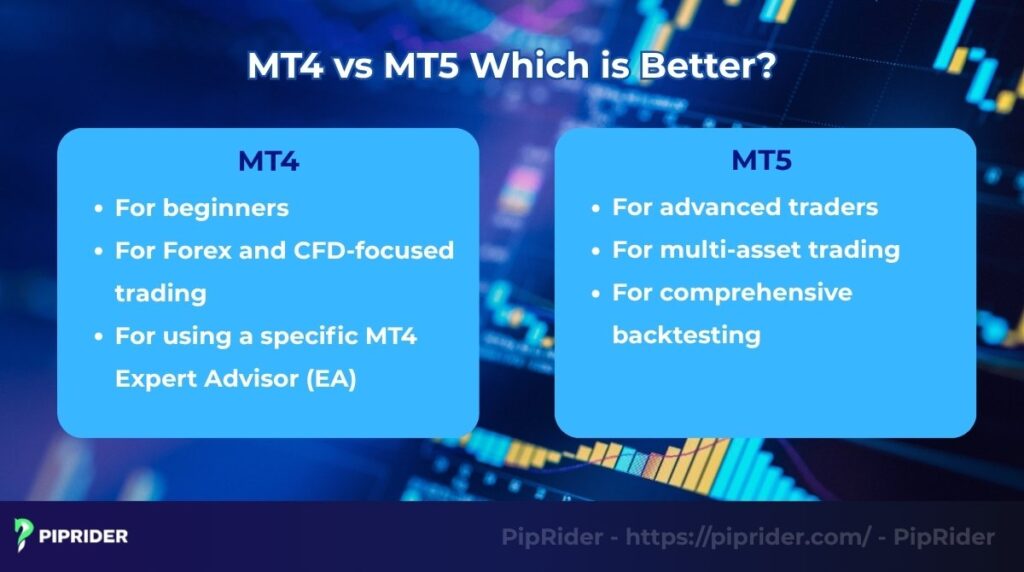
MT4 is best for beginners and dedicated traders. Its straightforward interface and wealth of community-created resources make it an excellent starting point for those new to the market.
MT5 is better for advanced traders and those who trade multiple asset classes. Its expanded features, faster backtesting, and support for a wider range of instruments make it a powerful tool for professionals seeking a more comprehensive solution.
6. MT4 vs MT5: Which is Better?
The decision between MT4 and MT5 ultimately depends on your trading goals, strategy requirements, and technical expertise. While the general consensus is often “beginners use MT4, pros use MT5,” the reality is much more nuanced.
To make the right choice for your trading infrastructure, evaluate your needs using the matrix and migration guidelines below.
6.1. The Ultimate Platform Decision Matrix
Use this strict decision matrix to pinpoint exactly which platform aligns with your specific trading profile:
| Your Trading Profile / Strategy Requirement | Recommended Platform |
|---|---|
| Simple Forex Trading & Old Custom EAs: You focus purely on currency pairs and rely heavily on existing algorithms or indicators coded in the older MQL4 language. | MetaTrader 4 (MT4) |
| Advanced Charting & Heavy Backtesting: You require 21 granular timeframes, deep historical data, and a multi-threaded Strategy Tester (via MQL5 Cloud Network) for complex algorithmic optimization. | MetaTrader 5 (MT5) |
| Precision Order Execution: Your breakout or retracement strategy requires advanced pending orders officially supported only in newer versions, specifically the Buy Stop Limit and Sell Stop Limit. | MetaTrader 5 (MT5) |
| Multi-Asset Portfolio Diversification: You want to trade centralized exchange markets (Real Stocks, Futures, Options) alongside Forex, assuming your broker provides the necessary gateways. | MetaTrader 5 (MT5) |
| Grid Trading & Locking: Your system requires holding multiple positions (long and short) on the exact same asset simultaneously without netting them out. | MT4 OR MT5 *Crucial: If choosing MT5, you MUST explicitly select a “Hedging” account type with your broker. |
6.2. The MT4 to MT5 Migration Checklist
If the matrix above indicates that MT5 is the future of your trading infrastructure, be aware that the transition requires more than just a simple software download. Treat this process as a full system migration.
Before funding a live MT5 account, run through this critical technical checklist:
- The Code Barrier (No Cross-Compatibility): Compiled
.ex4(MT4) files will absolutely not run on MT5, and.ex5(MT5) files will not run on MT4. There are no shortcuts here. - EA & Indicator Porting: If your trading relies on a custom MT4 Expert Advisor, you cannot just copy it over. You must hire a developer or learn to rewrite (port) the underlying
MQL4source code into the object-orientedMQL5structure. - Account Type Verification (Netting vs. Hedging): When opening your new MT5 account with your broker, double-check the account parameters. If you do not explicitly select a “Hedging” account, you may be defaulted to “Netting,” which will completely break grid, locking, or scale-in strategies.
- Symbol Suffixes and Naming: Pay close attention to the Market Watch window. Brokers often use different symbol suffixes on their MT5 servers (e.g.,
EURUSD.proorEURUSD.m) compared to their MT4 servers. You will need to update the exact symbol names in your EA inputs. - Data Folder Restructuring: You cannot simply copy your old MT4
Data Folderinto MT5. The file pathways (such as/MQL5/Expertsand/MQL5/Indicators) have a fundamentally different hierarchy. - Rebuilding Templates and Profiles: Chart templates (
.tplfiles) from MT4 generally do not port perfectly to MT5. Be prepared to manually recreate your favorite color schemes, indicator overlays, and chart profiles, then save them as new MT5 templates. - Hotkey Reconfiguration: Any custom keyboard shortcuts (hotkeys) you set up in MT4 for rapid order execution or navigating charts will be wiped. You must remap them manually in the MT5 terminal settings.
- Historical Data Management: MT5 handles historical data much more efficiently, storing it centrally in a compressed format. Before running your first MT5 backtest, ensure you let the terminal download a fresh, complete set of tick data directly from your broker’s server to avoid modeling errors.
7. FAQs
8. Conclusion
The choice between MT4 vs MT5 is not about which platform is universally better; it is entirely a question of your specific infrastructure needs.
MT4 remains the undisputed king for traditional forex traders and those relying on the massive library of existing MQL4 Expert Advisors. In contrast, MT5 is the definitive future of trading technology, offering a robust, multi-threaded engine designed for multi-asset portfolio diversification and advanced algorithmic optimization.
Evaluate your current asset classes, required order types, and EA dependency using our Decision Matrix to make the right choice. To learn more about setting up your trading systems and mastering technical tools, explore other expert guides on the Piprider blog in the Learn Forex section.
Infographic Section
-
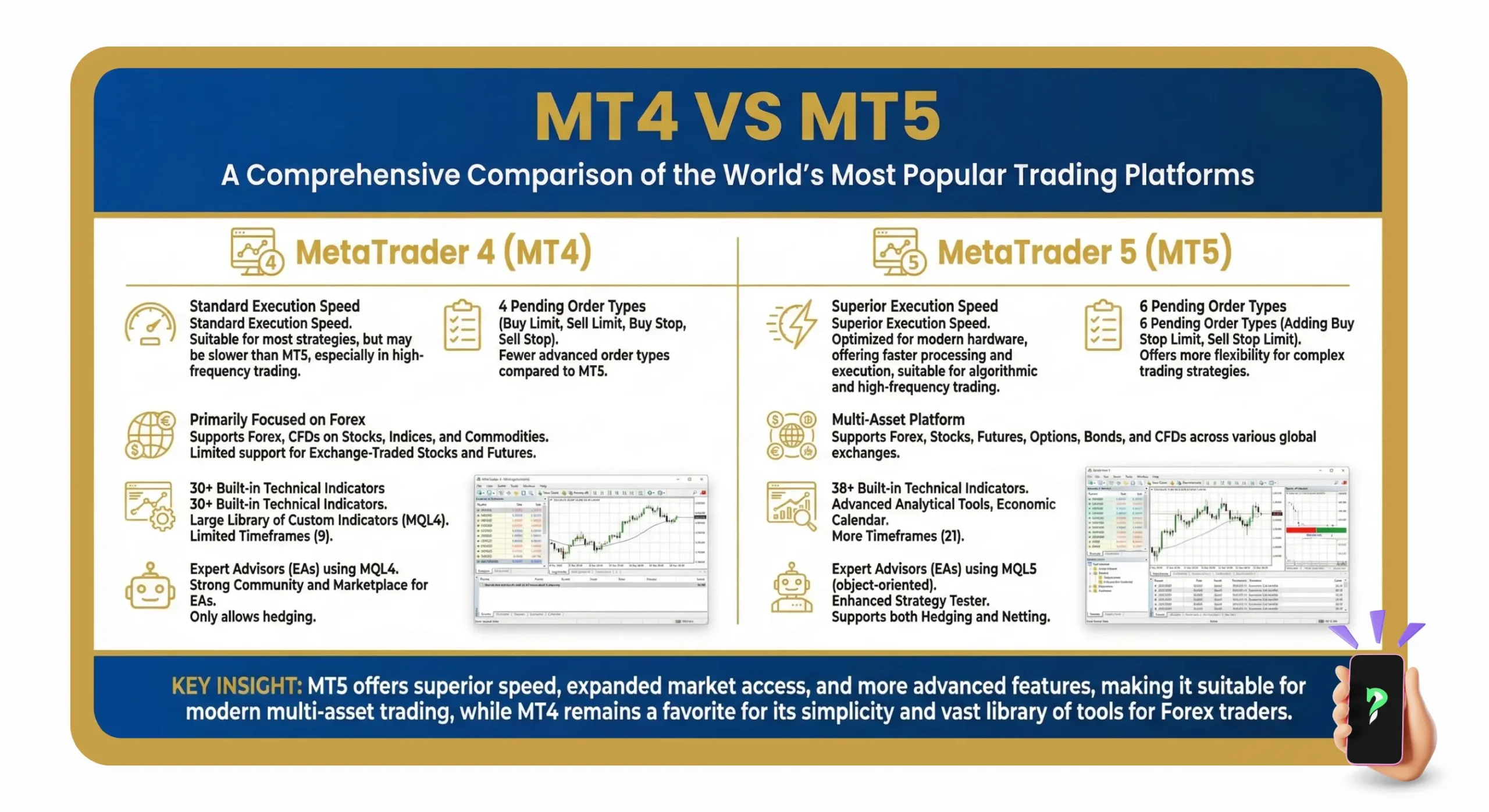
a comprehensive comparision -
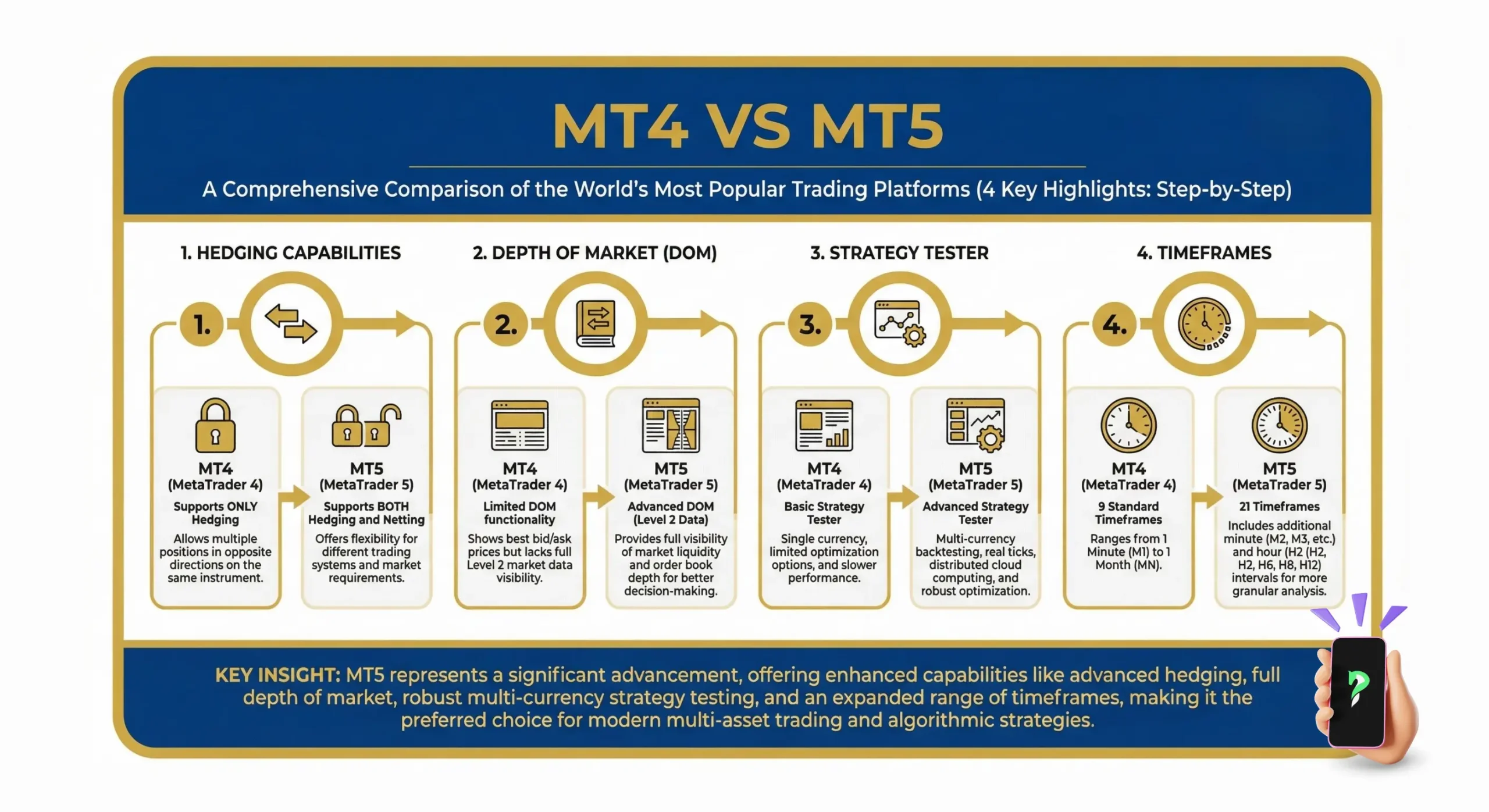
4 key highlights -
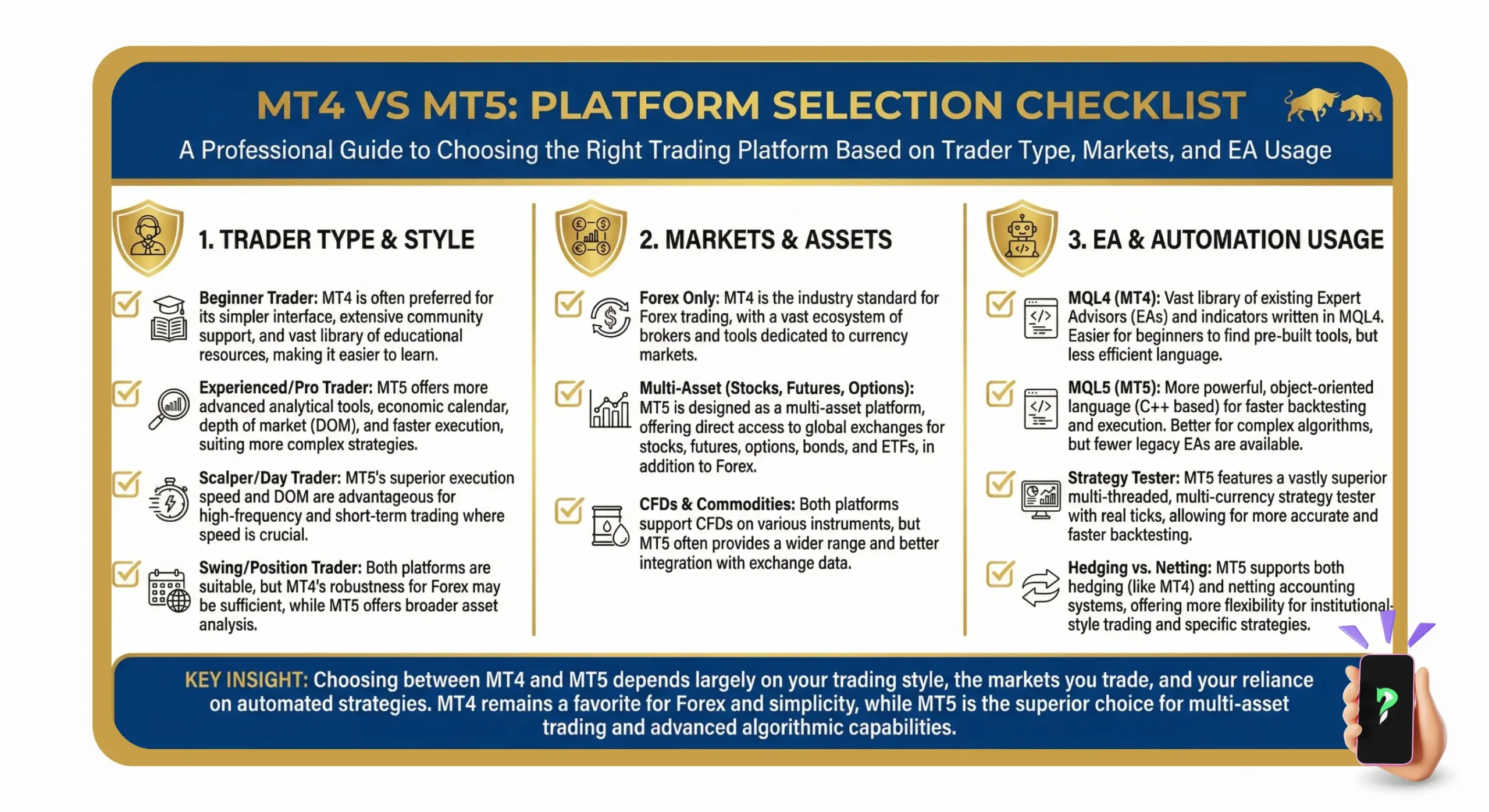
platform selection checklist